
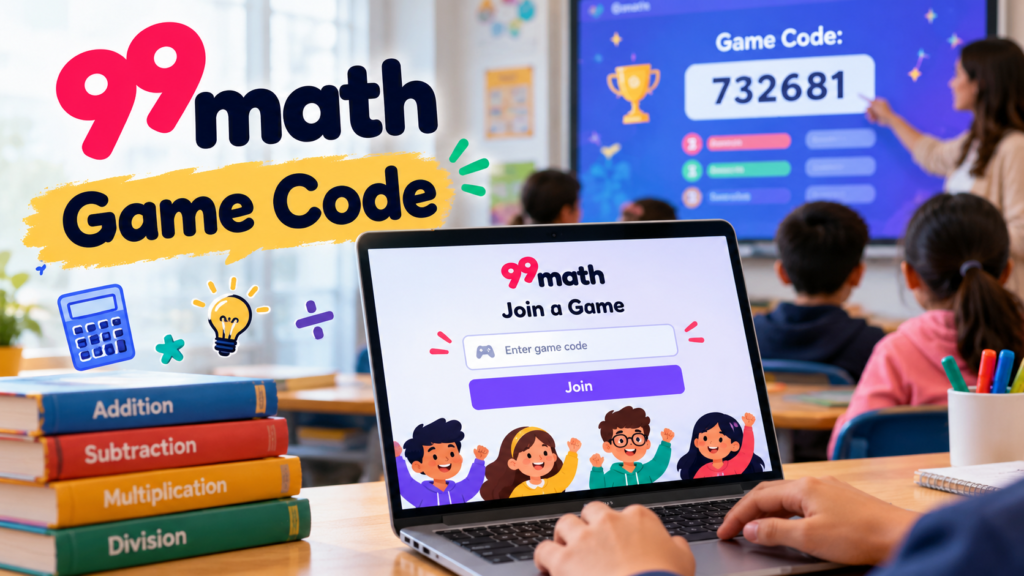
Math practice doesn’t always have to mean sitting quietly with a worksheet and solving one question after another. Sometimes, a little friendly competition makes the whole experience more interesting. That’s where 99math comes in. Students can practice different math skills, challenge their classmates, and improve their speed while solving questions in a live game.
If you’re searching for a 99math game code, you probably want to join a game and start playing. The process is pretty simple once you know where to enter the code and what to expect next.
In this guide, we’ll explain how 99math game codes work, how students can join a live session, what teachers need to do, and how to fix a few common problems.
What Is a 99math Game Code?
A 99math game code is a unique code generated when a teacher sets up a live group game. Students use it to enter the correct game session instead of searching for a particular classroom activity themselves.
99math is an educational platform designed to make math practice more interactive. It offers activities covering skills such as addition, subtraction, multiplication, division, fractions, decimals, and other mathematical topics.
The idea is straightforward: teachers choose what students should practice, start a game, and share the joining code. Students enter the code on the official joining page, choose an appropriate name, and get ready to play.
According to the official 99math help center, students can join through the game’s code, while teachers control the setup and launch the session.
How to Join a 99math Game Using a Code
Joining a game usually takes only a few steps. You don’t need to spend ages figuring out the website.
Follow these instructions to get started:
- Get your game code. Ask your teacher for the code displayed on the classroom screen or shared with your class.
- Visit the official joining page. Open 99math.com/join in your browser.
- Enter the game code. Type the code carefully into the appropriate field.
- Add your name. Follow the instructions shown on the screen. Use a name or nickname your teacher can recognize.
- Wait for the game to begin. Once you’ve joined, you may appear in the game lobby while the teacher gets everyone ready.
- Start solving questions. When the teacher launches the game, answer the math problems as accurately as possible.
And that’s it! If the code is correct and the game is available, you should be able to join the session.
If you’re already signed in to your student account, you may also have an option to enter the code from your homepage.
Where Can You Find a 99math Game Code?
One important thing to understand is that a game code isn’t something students can always pick from a public list. It’s generated when a teacher sets up a group game.
Here are the usual ways to get one:
- From your teacher: The code may appear on a classroom projector or interactive whiteboard.
- During an online lesson: Your teacher can share the screen during a video call.
- Through classroom instructions: The code or joining information may be shared with students before the activity.
- From a teacher-provided link or QR code: Some game setups offer additional ways to join.
If you can’t find a working code online, don’t assume the platform is broken. Ask your teacher for the code associated with the session you need to join.
It’s also worth remembering that an old code might not work for a new game. The safest approach is to use the joining information provided for the current session.
How Teachers Can Create a 99math Game Code
Teachers can create a game and invite students without making the process unnecessarily complicated.
Here’s the general setup process described in the official 99math help documentation:
- Visit the official 99math website and sign in to a teacher account.
- Open the Group practice section.
- Choose a class, grade level, or math skill category.
- Select the topic students need to practice.
- Adjust the game settings, including the available game mode, duration, and rounds.
- Select Play LIVE.
- Display the game lobby so students can enter the code or scan the QR code.
- Start the game when the required students have joined.
Teachers can choose activities that match their lesson instead of using the same questions every time.
For example, a class learning multiplication can practice multiplication facts, while another group might work on addition or fractions. This flexibility makes the platform useful for warm-ups, revision sessions, and short classroom challenges.
What Can You Practice on 99math?
The platform covers a range of mathematical skills, so students can practice more than basic arithmetic.
| Math topic | What students practice |
|---|---|
| Addition | Adding numbers and improving calculation speed |
| Subtraction | Finding differences and strengthening number sense |
| Multiplication | Learning multiplication facts and times tables |
| Division | Practicing division facts and number relationships |
| Fractions | Understanding fractions and working with fraction problems |
| Decimals | Solving problems involving decimal numbers |
| Percentages | Learning how percentages relate to numbers |
| Integers | Practicing calculations with positive and negative numbers |
| Geometry | Reviewing selected geometry concepts |
The topics available depend on the selected grade level and activity. Teachers can choose an appropriate skill for their students rather than expecting everyone to work on the same difficulty level.
Why Students Enjoy 99math Games
Let’s be honest: repeating the same calculations on paper can become boring, especially when students already feel unsure about math.
A live game adds another element. Students solve questions while seeing the activity progress, which can make practice feel more like a challenge than an assignment.
Some useful benefits include:
- More engaging practice: A game format can encourage students to participate.
- Better calculation fluency: Repeated practice helps students become more familiar with common math facts.
- Friendly competition: Students can challenge themselves and enjoy playing with classmates.
- Immediate participation: A joining code makes it easy for a teacher to bring the class into one session.
- Useful feedback for teachers: Game reports can help teachers identify topics where students may need additional support.
Of course, playing a game won’t automatically make every math topic easy. Students still need time to understand the methods behind the answers. But regular practice can make those skills feel less intimidating.
99math Game Code Not Working? Try These Fixes
Sometimes, you enter a code and nothing happens. It can be frustrating, especially when the rest of the class is already waiting.
Before giving up, check the following possibilities.
1. Check the code for typing mistakes
A missing digit or an incorrect character can prevent you from entering the right session. Carefully compare the code with the one your teacher shared.
2. Ask whether the game is still available
The code may belong to an earlier session or may no longer be valid. Ask your teacher to confirm that you’re using the current code.
3. Make sure you’re on the correct website
Use the official 99math joining page rather than an unrelated website that claims to provide game codes.
4. Refresh the page
A simple refresh can sometimes resolve a temporary loading problem. If it doesn’t, close the tab and open the official joining page again.
5. Check your internet connection
A weak connection may stop the joining page from loading properly. Try opening another website to see whether your connection is working.
6. Ask your teacher for help
If other students can join but you cannot, let your teacher know. They can check the displayed code and confirm that the correct game is running.
Game Code vs. Class Code: What’s the Difference?
These two terms sound similar, but they serve different purposes.
| Feature | Game code | Class code |
|---|---|---|
| Main purpose | Join a live group game | Join a particular class |
| Generated when | A group game is set up | A class is created |
| Used by | Students entering a game | Students joining a class |
| Typical result | Access to a specific game session | Association with a classroom |
This distinction matters. If your teacher asks you to join a class, a live game code might not be what you need. Likewise, a class code isn’t necessarily the code for a live math challenge.
If you’re unsure which one to use, check the instructions on your student homepage or ask your teacher.
Can You Play 99math on a Phone or Laptop?
Yes. The official 99math website states that students can access its browser-based activities on devices such as Chromebooks, laptops, tablets, and phones.
You don’t necessarily need a powerful computer. A reasonably modern device with an internet connection and a compatible browser should be sufficient for the browser-based experience.
For the smoothest session:
- Keep your browser updated.
- Use a stable internet connection.
- Turn up the volume if your teacher uses audio instructions.
- Keep the joining page open while waiting for the game to start.
- Follow your teacher’s instructions about names and classroom participation.
A larger screen may be more comfortable for some students, but a phone can be convenient when that’s the device available.
Tips for Getting Better Results in 99math
The goal isn’t just to finish first. Learning the material is what really counts.
Try these simple habits when you play:
- Read each question carefully before answering.
- Focus on accuracy instead of rushing through every problem.
- Practice the math facts you find difficult.
- Review incorrect answers after the game whenever possible.
- Play regularly rather than trying to master everything in one session.
- Ask your teacher to explain a method if you keep making the same mistake.
And don’t worry if you aren’t at the top of the leaderboard. Improving your own score and understanding a difficult topic are worthwhile achievements, too.
Frequently Asked Questions About 99math Game Code
1. What is the official website to join a 99math game?
Students can visit 99math.it.com/join to enter a game code supplied by their teacher.
2. Can I get a 99math game code without a teacher?
For a live classroom game, the code is generated when a teacher sets up the session. You’ll generally need the joining information from the person hosting it.
3. Do I need an account to join a live game?
According to the official 99math game instructions, students can join a live game without necessarily having an account. Signing in may be useful for other features, including individual practice.
4. Why does my 99math game code say it’s invalid?
The code may have been entered incorrectly, may belong to another session, or may no longer be available. Ask your teacher to verify the current code.
5. Is 99math only for multiplication?
No. The platform offers multiple math topics, including addition, subtraction, division, fractions, decimals, and other skills.
6. Is 99math free to use?
The official website states that live games and teacher tools are available free for teachers and schools. Other features or account options may have different conditions, so check the official website for current details.
Final Thoughts
Finding and using a 99math game code is simple once you know where to go. Visit the official joining page, enter the code supplied by your teacher, follow the on-screen instructions, and wait for the game to begin.
Teachers can create live activities around different math topics, while students get an interactive way to practice their skills. If a code doesn’t work, check it carefully and confirm that the session is still available before trying anything else.
Ready to play? Visit 99math.it.com/join, enter your current game code, and get ready to practice math with your class.